- You can easily clear prologue and Story Stage 1-2 to unlock various rewards and mailbox.
- You can reroll more efficiently with the help of Emulators.
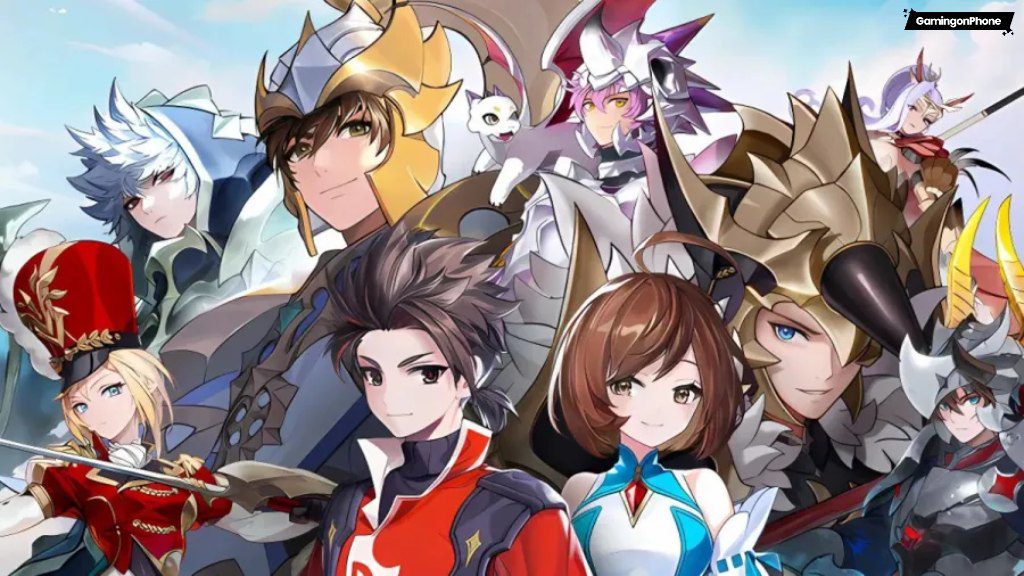
Seven Knights Re:BIRTH is the latest collectible RPG in Netmarble, which features a huge number of Legendary and Rare Heroes. You can collect them from the Summon section to clear enemy waves and bosses. In this Seven Knights: ReBIRTH Reroll guide, I’ll help you streamline your reroll process for a more efficient way to secure your desired characters early in the game.
If you are new to the game, be sure to check out our Beginner’s Guide and Heroes Tier List for a better insight into the game. You can go through our Redeem Codes article to collect free items and rewards. Additionally, if you’re facing any issues, you can also check out our Customer Support guide to solve them quickly.
How to reroll efficiently in Seven Knights: ReBIRTH
Rerolling in Seven Knights: ReBIRTH is quite simple, and it allows you to pull powerful legendary and rare characters right from the start, giving you a good, solid head start. First, start with a guest account and complete the initial Adventure Stages, which should take only a few minutes if you autoplay and skip scenes.
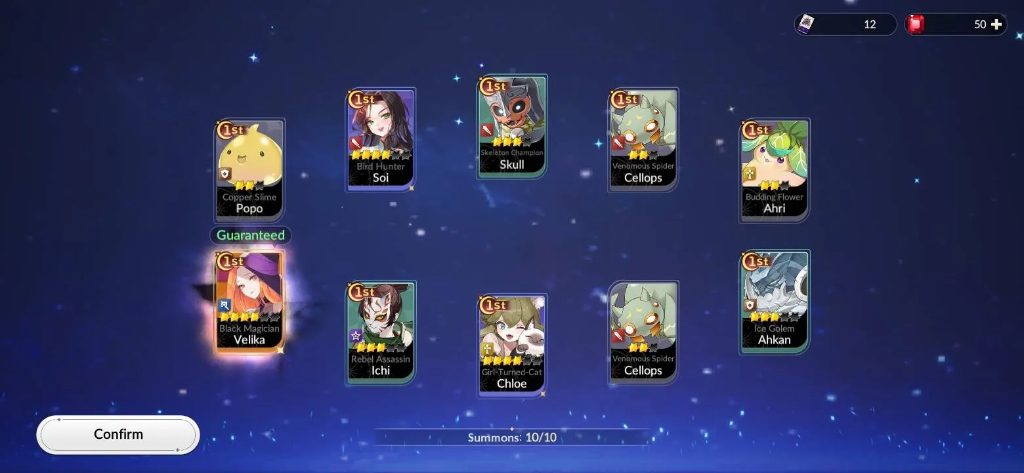
Once that’s done, you can claim all the rewards, like pre-registration milestone rewards and event rewards, and then reroll in the Summon Section. Now, you should target legendary heroes like Teo, Kagura, and more, or you can check out our tier list for better decisions.
Seven Knights: ReBIRTH Reroll Guide for Android and iOS Devices
If you’re using an Android/iOS device, you can reroll in ACECRAFT by following these simple steps:
- First, launch the game on your mobile device.
- Next, complete the prologue until Story Chapter 1-2, to unlock free movement.
- Make sure to collect the rewards from the Mailbox, like the Hero Summon Vouchers, Rubies, and more.
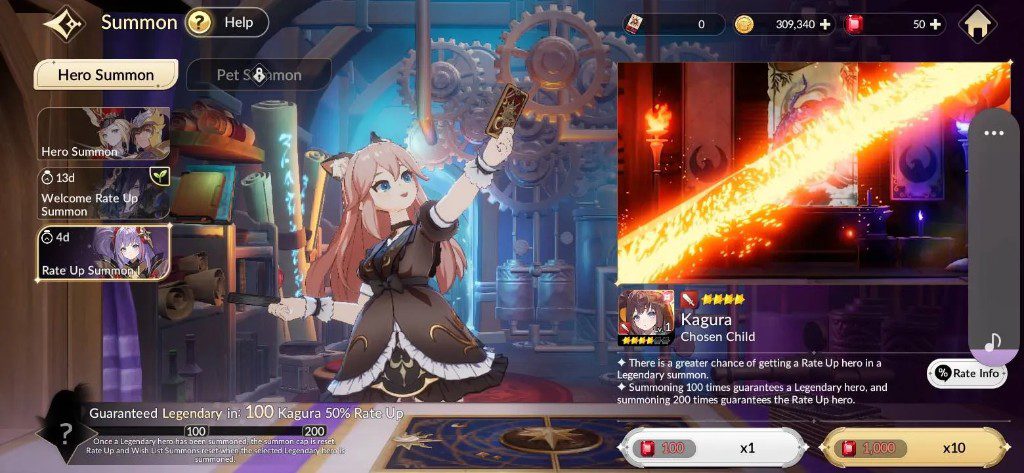
- Now, use your first 10x pulls on Hero Summon, to get a guaranteed 4* Legendary Hero, and this also unlocks Welcome Rate Up Summon and Rate Up Summon.
- Then use your Rubies on these two to obtain Kagura and Teo, who are the best Action-type heroes in the game.
- You’re guaranteed a Legendary Hero at 100x and these two at 200x summons.
- If you are satisfied with the combination, you can bind your account.
- If you’re not satisfied with your pull, then delete your account and restart the game with a new Gmail account.
- Restart the process from the first step.
How to reroll in Seven Knights: ReBIRTH using an Emulator
If you want a smoother and easier rerolling experience in Seven Knights: ReBIRTH, make sure to use emulators like BlueStacks, LDPlayer, or Mumu Player. With the help of these emulators, you can manage multiple reroll attempts more efficiently, thanks to their user-friendly features.
- First, install the game on a 64-bit emulator for better performance.
- Then, launch the game, complete the in-game download, and exit.
- Alternatively, use the emulator’s APK Installer to install the game using an APK file.
- Now, create multiple game clones by using the emulator’s Manager menu, and make sure to adjust settings based on your system’s capabilities.
- If you’re unsatisfied and want to restart the process, you’ll have to uninstall the game.
- Once you’re done, continue the reroll process again.
How to bind a game account in Seven Knights: ReBIRTH
To bind your account, follow these steps:
- First, open the game.
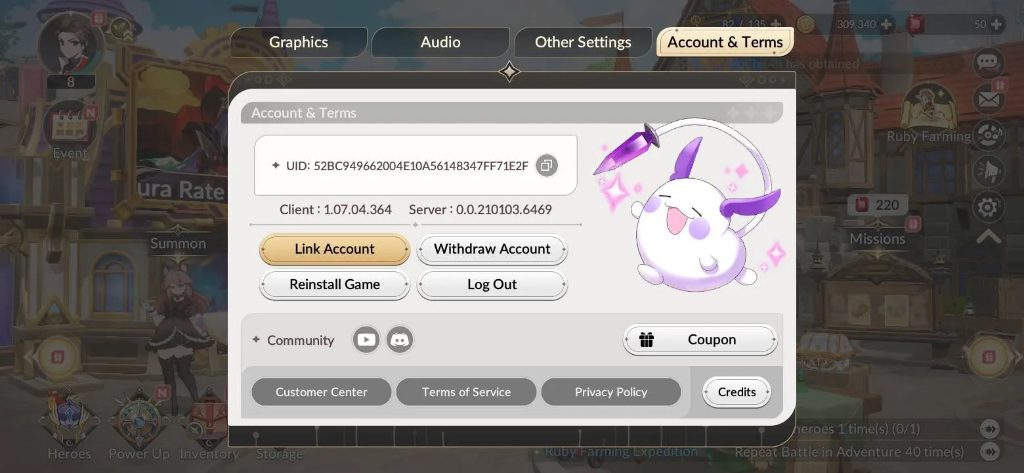
- Next, tap on the clog or getting icon in the right side of your screen to access Settings.
- Here, you’ll find various options, and you’ve to select Account & Terms.
- Now, tap on Link Account, and you can sign in with your NetmarbleID, Google, Apple, Facebook, Steam, and even Epic Games.
- You can also withdraw from your account or log out from here.
For more such reroll articles, check these out!
That’s all from us for the Seven Knights: ReBIRTH Reroll Guide! Did you find our Seven Knights: ReBIRTH Reroll Guide helpful? Do let us know in the comments below!
For more Mobile Gaming news and updates, join our WhatsApp group, Telegram Group, or Discord server. Also, follow us on Google News, Instagram, and Twitter for quick updates.
Source link